1. Create a Business Profile
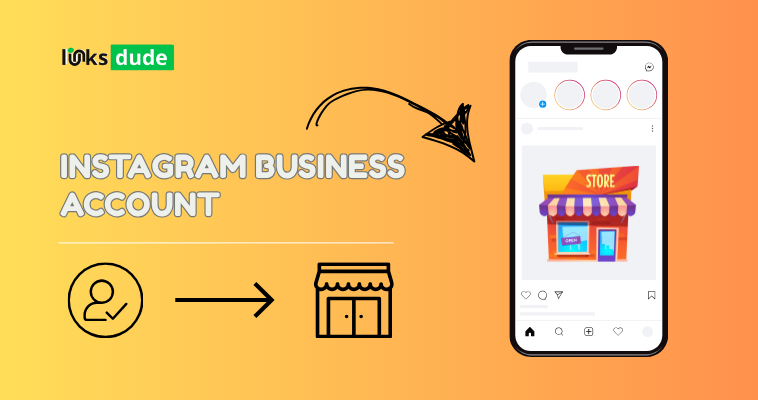
- Switch to a Business Account: If you haven’t already, convert your Instagram profile to a business account. This allows you to access Instagram’s advertising features and insights.
2. Set Up Facebook Business Manager
- Link Instagram to Facebook: Instagram ads are managed through Facebook’s Ads Manager. Set up a Facebook Business Manager account if you don’t already have one, and connect your Instagram account to it.
3. Define Your Advertising Goals
- Campaign Objectives: Determine what you want to achieve with your Instagram ads. Common objectives include:
- Brand Awareness: Introduce your brand to a new audience.
- Reach: Show your ad to the maximum number of people.
- Traffic: Drive traffic to your website or landing page.
- Engagement: Increase likes, comments, shares, and follows.
- Conversions: Encourage people to take specific actions like making a purchase or signing up for a newsletter.
4. Create Your Ad Campaign
Ads Manager: Navigate to Facebook Ads Manager and select “Create” to start a new ad campaign.
Campaign Details: Set your campaign objective, budget, schedule, and audience targeting options.
5. Design Your Ad
Ad Format: Choose from various ad formats such as photo ads, video ads, carousel ads (multiple images or videos in one ad), or stories ads.
Content: Create compelling visuals or videos that align with your campaign objective and resonate with your target audience.
Call-to-Action (CTA): Include a clear CTA button (e.g., Shop Now, Learn More, Sign Up) to prompt users to take action.
6. Target Your Audience
Audience Targeting: Use Facebook’s detailed targeting options to reach your specific audience based on demographics, interests, behaviors, and location.
Custom Audiences: Utilize custom audiences (e.g., website visitors, email subscribers) or lookalike audiences (similar to your existing customers) for more targeted reach.
7. Set Your Budget and Schedule
Budget: Decide on your daily or lifetime budget for the campaign. You can set a budget cap to control your spending.
Schedule: Choose when you want your ads to run. You can set specific start and end dates or run them continuously.
8. Review and Launch
Review Your Ad: Double-check all details, including targeting, budget, and creative content, to ensure everything is accurate and aligns with your goals.
Launch Your Ad: Once you’re satisfied with your ad setup, click “Publish” or “Confirm” to launch your Instagram ad campaign.
9. Monitor and Optimize
Monitor Performance: Regularly check your ad performance in Ads Manager. Track metrics like reach, impressions, clicks, engagement, and conversions.
Optimize: Use insights from your ad performance to make adjustments. Test different ad creatives, audience segments, and CTAs to improve results.
10. Engage with Your Audience
Respond to Comments: Engage with users who interact with your ad by responding to comments and messages promptly.
Follow-Up: After the ad campaign ends, analyze its overall effectiveness and ROI. Use this data to inform future Instagram advertising strategies.
Tips for Success:
Visual Appeal: Use high-quality visuals or videos that grab attention and align with your brand’s aesthetic.
Targeting: Refine your audience targeting to reach the most relevant users who are likely to engage with your ad.
Testing: A/B test different ad elements (e.g., visuals, headlines, CTAs) to identify what resonates best with your audience.