

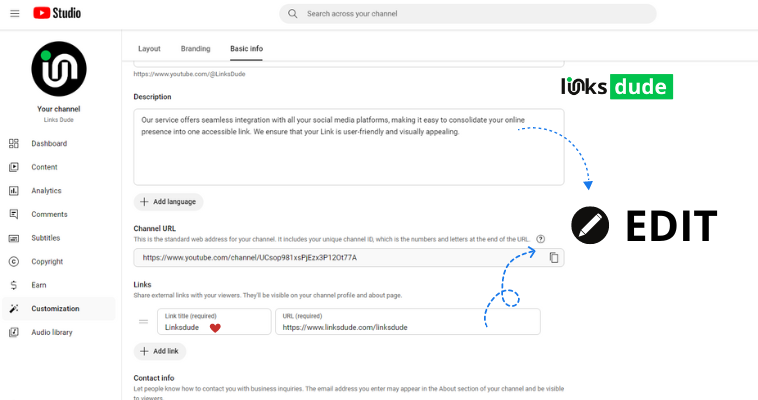
Steps to Add Bio Information on YouTube
Sign In to Your YouTube Account:
- Go to YouTube and sign in with your Google account.
Go to Your Channel:
- Click on your profile picture at the top right corner of the screen.
- From the dropdown menu, select Your Channel.
Customize Channel:
- On your channel page, click on the Customize Channel button. It may be located towards the upper right corner or as an option in the channel settings.
Edit Channel Description:
- Scroll down to find the About section.
- Click on the Edit Links button (pencil icon) next to the Description.
Add Your Bio:
- In the description box, write a concise and informative bio about your channel.
- You can include details such as what your channel is about, the type of content you create, upload schedule, and any other relevant information.
Save Changes:
- After entering your bio information, click on the Done button or Save to save your changes.
Tips for Writing a Good YouTube Bio
- Be Concise: You have limited space, so make sure your bio is clear and to the point.
- Include Keywords: Use relevant keywords that describe your channel’s content to improve discoverability.
- Call to Action: If applicable, include a call to action such as subscribing, following on social media, or visiting your website.
- Update Regularly: Keep your bio updated with any changes to your content or channel focus.
.png)